
01 / LIVE SIGNAL
Live Calls
A focused view for following current call activity and the evidence path it begins.
01 · EVIDENCE-LED TELECOM FRAUD DETECTION
Telecom fraud detection for operators and fraud teams. CoreShield AI brings caller-side speech, SIP/RTP identity context and threat indicators together for review and traceback-ready reporting.
02 · FROM SIGNAL TO EVIDENCE
Live telecom context, caller-side media and identity signals move through a clear evidence path designed for operator review.
CoreShield observes the current call state and anchors review to the original call identity, direction and timing context.
OutcomeCall context established
Signaling and available media context are associated with the session so the evidence path remains tied to the actual telecom call.
OutcomeSession context preserved
Caller-side audio is selected for review while callee, victim and IVR audio are excluded from the evidence path.
OutcomeRelevant speech isolated
Selected caller speech is transcribed and organized for searchable review through CoreShield's shared AI and speech-processing capability.
OutcomeSpeech made reviewable
Suspicious language and behavior cues are mapped to review categories without treating a single phrase or signal as automatic proof.
OutcomeReview cues organized
ANI, DNIS, Source IP, NextHop, customer, trunk, Call-ID and timestamp are brought together around the evidence session.
OutcomeTechnical identity attached
The final record combines caller-side evidence, telecom identity, threat indicators and operator-ready review detail in one structured session.
OutcomeEvidence ready for review
03 · PRODUCT PROOF
Approved, anonymized product captures show how live telecom activity becomes structured evidence across the CoreShield AI review path.
01 / LIVE SIGNAL
A focused view for following current call activity and the evidence path it begins.
04 · IDENTITY-RICH EVIDENCE
ANI, DNIS, network identity, customer context and timing remain attached to caller-side evidence for operator review.
CONCEPTUAL / PUBLIC-SAFE
CONTEXT ATTACHED THROUGHOUT THE REVIEW PATH
ONE REVIEW OBJECT
05 · CALLER-SIDE EVIDENCE
Focus review on caller-side speech and technical identity while preserving the context needed to investigate the call.
FOCUSED REVIEW CONTEXT / CONCEPTUAL
Language and cue context
ANI · DNIS · CALL-ID · TIMESTAMP
Evidence summary with technical context retained
06 · LIVE VISIBILITY
Follow live call activity, evidence creation and review states through a focused operator-facing view.
ANONYMIZED PRODUCT VIEW
OPERATOR VISIBILITY THEMES
Current call activity
Evidence path as it forms
Review-stage context
High-level service state
Signals prepared for review
07 · REPORTS & INTELLIGENCE
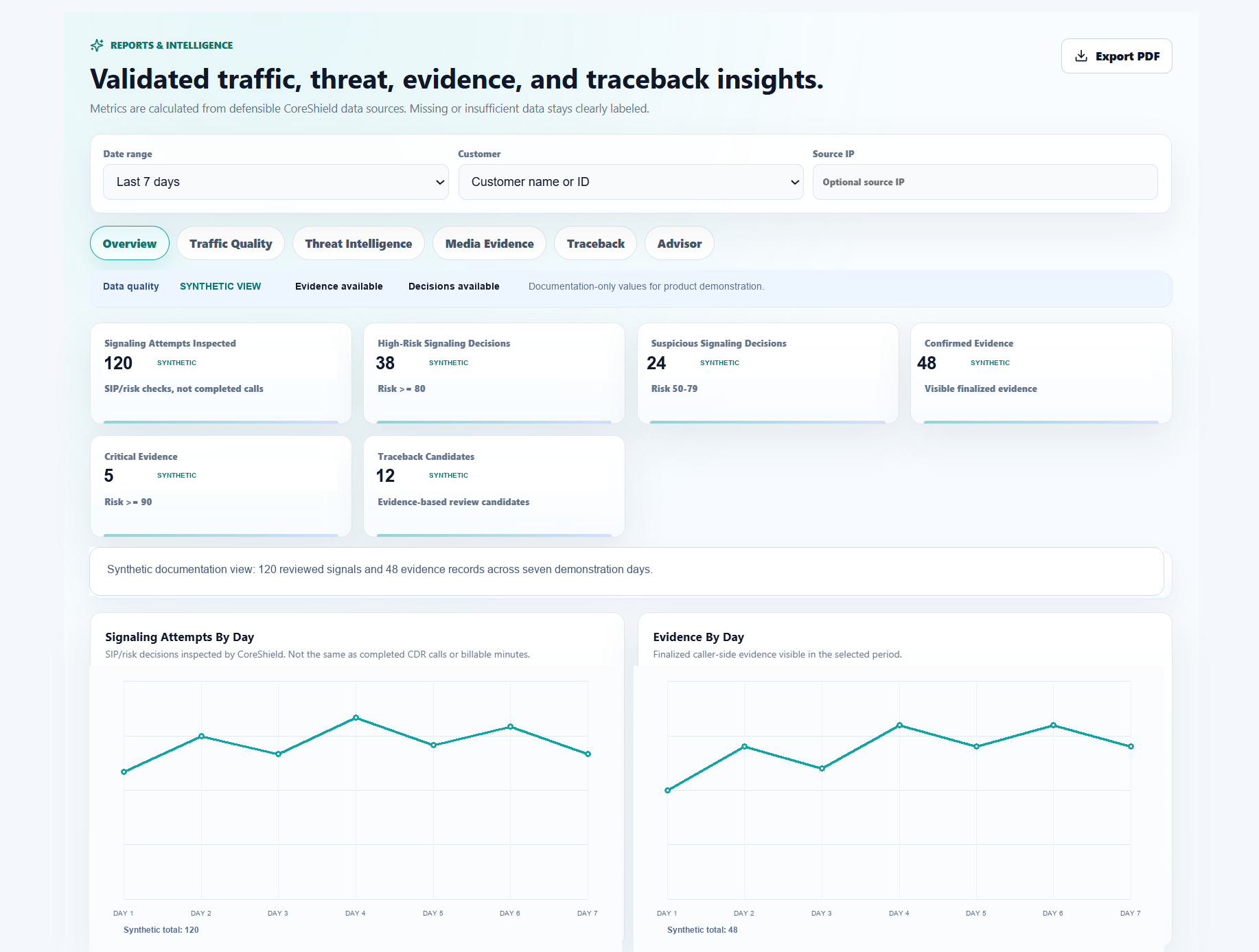
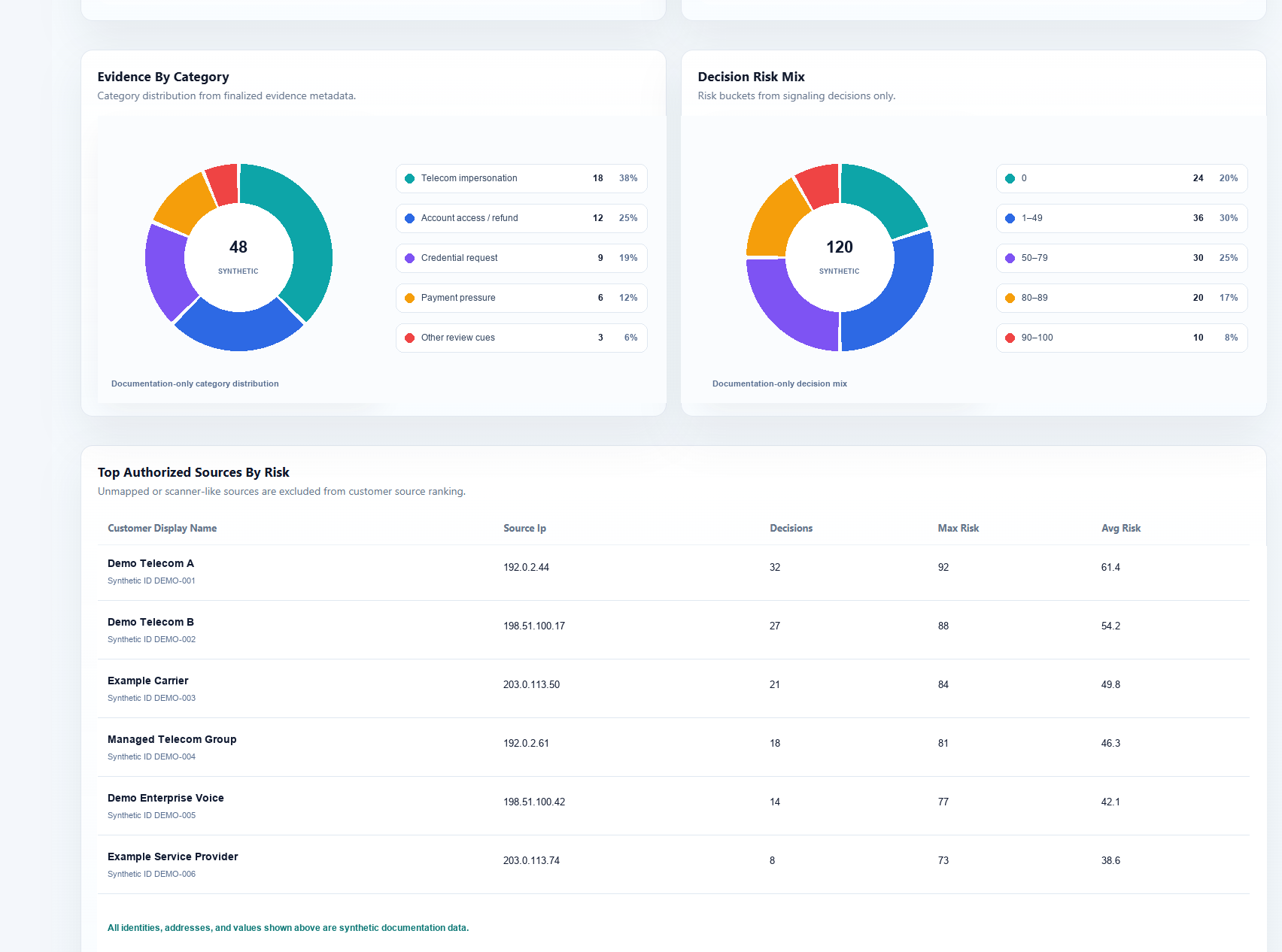
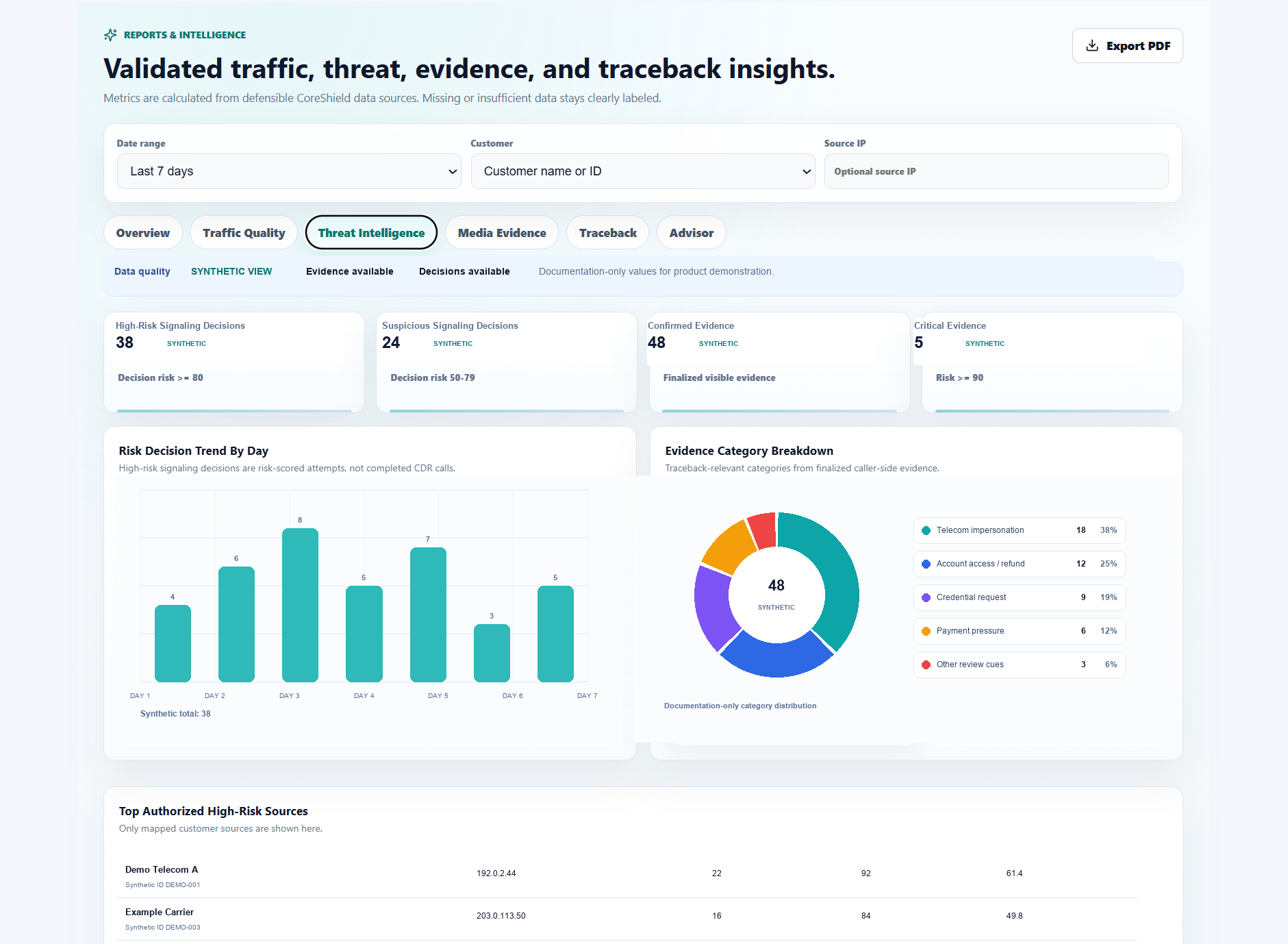
Filter traffic, threat, evidence and traceback views by date, customer and source. CoreShield AI keeps data quality explicit and lets authorized teams export selected reports to PDF for operational review and handoff.
REPORT CAPABILITIES
ANONYMIZED PRODUCT VIEW
A filtered view of data quality, headline metrics, daily traffic and evidence activity.
Evidence category, decision-risk and authorized-source views stay close to the filtered report context.
High-risk, suspicious, confirmed and critical indicators are organized into a reviewable trend and category view.
08 · USE CASES
One evidence language, adapted to distinct operating responsibilities.
Follow live telecom activity and retain caller, network and timing context for review.
Bring a consistent evidence path to the managed environments your teams support.
Review caller-side evidence alongside identity metadata and threat indicators.
Coordinate high-level visibility across deployment contexts without exposing internal systems.
09 · PUBLIC-SAFE ARCHITECTURE
A high-level view of how deployment context, evidence visibility and shared AI/STT capability relate—without exposing internal implementation details.
CONCEPTUAL SIGNAL PATH / PUBLIC-SAFE VIEW
SIGNAL CONTEXT
LOCAL OBSERVATION
EVIDENCE VIEW
SHARED OVERSIGHT
ASSISTED PROCESSING
No internal topology, implementation detail or production connection is represented.
10 · PLATFORM PRINCIPLES
A focused foundation for evidence, visibility and operator review.
Keep speech and cue context attached to the evidence review path.
Retain caller, network and timing context around each record.
Surface current activity and evidence creation states for operator review.
Use assisted processing to organize indicators without presenting automated certainty.
Support shared management across distinct deployment contexts.
Favor explicit evidence paths and focused operational views.
11 · SECURE INQUIRY
Tell us about your telecom environment, evidence requirements or deployment goals. Your inquiry will be sent securely to the CoreShield AI team.
SECURE INQUIRY
Required fields are marked with an asterisk.
Thank you for contacting the CoreShield AI team.